Warnetopia Internet Cafe Internet Cafe Codes
Every working code listed on the official experience, plus how to redeem and what to spend rewards on first.
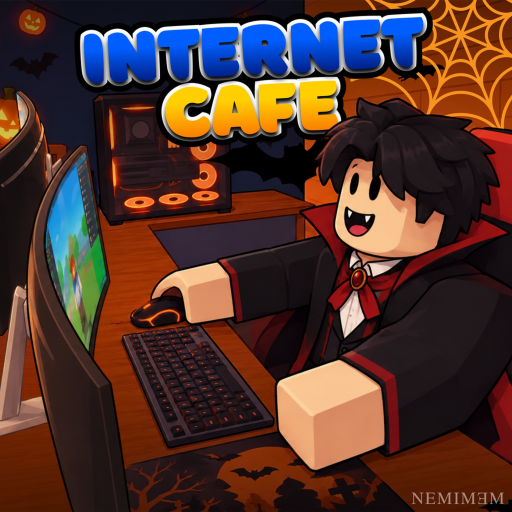
Promo codes are the fastest free boost in Internet Cafe by Neminem. Last checked: 2026-11-21 against the official Roblox description. The description still listed six active codes at that check. Redeem them as soon as you join a server, then fold the rewards into your first PC lines instead of spending impulsively on cosmetics.
This hub stays focused on working codes, redemption steps, troubleshooting, and where those free items fit into a healthy early build. For a full day-one plan after you redeem, follow the Getting Started guide. For HUD help finding the Codes panel, see Controls. For long-term upgrade order, use the tier list and PC upgrades pages.
Active codes (checked 2026-11-21)
Enter each code exactly as shown. Codes are usually case-sensitive on Roblox experiences.
| Code | Notes |
|---|---|
ALDWEKSLARPER | Listed on the official experience description |
3WEEKS | Milestone-style code from the live description |
CUSTOMIZATION | Ties to café customization / décor systems |
HALLOWEEN | Seasonal code from the Halloween content drop |
100KVISITS | Visit-milestone celebration code |
KITCHENNADALVOKE | Kitchen / food-area content related code |
Rewards can include cash, décor, equipment, or event items depending on how the developers wired each string. Always check your inventory and café shop after redeeming so you do not miss a placed item or currency bump.
How to redeem codes
- Launch Internet Cafe on Roblox and join a server (server size is 8).
- Claim or stand in your café plot so your progress is loaded.
- Open the in-game Codes UI (look for a Codes / Redeem button on the HUD, shop panel, or settings menu).
- Paste or type one code at a time, matching capitalization exactly.
- Confirm or redeem, then check cash, inventory, and placed furniture for the reward.
- Repeat for the remaining codes before you sink early cash into expensive upgrades.
If the UI label differs after a patch, search the on-screen buttons for Redeem, Gift, or Promo. Do not share account credentials with anyone offering to “redeem for you.”
Redemption tips that save time
- Redeem all six codes in one session so you can plan purchases with the full reward pool visible.
- Prefer spending free cash on extra seating capacity and basic PC completeness before luxury décor. A half-finished station earns nothing; a finished budget line earns steadily. See Earn Fast for priority spending.
- If a code fails, leave and rejoin a fresh server. Live experiences sometimes lag behind description updates on older instances.
- Keep a personal note of which codes you already used. Re-entering a spent code usually returns an already-redeemed message, not a second reward.
- After seasonal codes like
HALLOWEENor kitchen-themed strings, walk your floor plan—new props may unlock placement options covered in Customize Base, Furniture, Kitchen, and the Halloween Event page.
What to do right after redeeming
Codes are a head start, not a finished café. Use this short loop:
- Finish at least one complete PC station (desk/line unlock, case, monitor, and input devices as required by the shop).
- Keep a path clear from entrance to seats so NPCs or players can reach machines without pathing into décor piles.
- Collect income on a steady cadence instead of AFKing without checking queues.
- Reinvest into a second line once the first seat is reliably paying out.
- Only then expand into kitchen props, seasonal décor, and weather-friendly outdoor pieces.
That order mirrors the tier list guidance: income infrastructure first, atmosphere second.
Expired and inactive codes
No previously published strings are parked in an expired table on this check—the six codes above were still listed on the official description as of 2026-11-21. This section is ready for retired codes: when a string starts failing on fresh servers, move it here in your notes and stop recommending it in chat.
Developers can retire codes without a long announcement, so always verify in-game. If the experience description adds a new code after a visit milestone or event, cross-check Updates and re-test redemption the same day. Milestone codes like visit celebrations often have shorter windows than evergreen strings.
Safety and scams
- Never enter codes on third-party websites that ask you to log in with your Roblox password.
- Never pay real money to a stranger for a “private code list.” Public codes appear on the experience page or official community channels.
- Be careful with executors and auto-redeem scripts; they can violate Roblox rules and risk moderation. Prefer manual redemption. Read the Scripts Hub for risk context.
- For official URLs and scam patterns around fake Discords, see Community Links.
How this wiki stays current
Warnetopia Internet Cafe is an unofficial fan wiki. We sync code lists against the live Roblox description and patch notes when the game updates. After you redeem, continue with Getting Started, then deepen income with Earn Fast and polish the room with Customize Base.
Bookmark this Codes Hub and refresh after major drops listed on Updates. A two-minute redeem pass at the start of a session is still one of the highest value actions in the early game.
Frequently Asked Questions
Quick answers about codes, upgrades, and growing your café.
What are the working Internet Cafe codes right now?
Last checked 2026-11-21 against the official Roblox description: ALDWEKSLARPER, 3WEEKS, CUSTOMIZATION, HALLOWEEN, 100KVISITS, and KITCHENNADALVOKE. Enter them exactly as shown.
How do I redeem codes in Internet Cafe?
Join the experience, open the in-game Codes or Redeem UI on the HUD or menus, enter one code at a time, and confirm. Then check cash and inventory for rewards.
A code says invalid even though it is listed here. What should I try?
Confirm spelling and capitalization, redeem on a fresh server, and make sure your café plot is loaded. If it still fails, the code may have expired after the description was last checked.
Should I redeem codes before or after buying my first PC?
Redeem first whenever possible so you can budget with the full reward total, then finish one complete income station before heavy décor spending.
Where should I go after claiming code rewards?
Follow the Getting Started checklist, then use the tier list and Earn Fast guides to spend efficiently.