Warnetopia Internet Cafe Weather System & Outdoor Layout
Use Internet Cafe weather for mood, outdoor seating, and lighting—without blocking doors or starving your PC income.
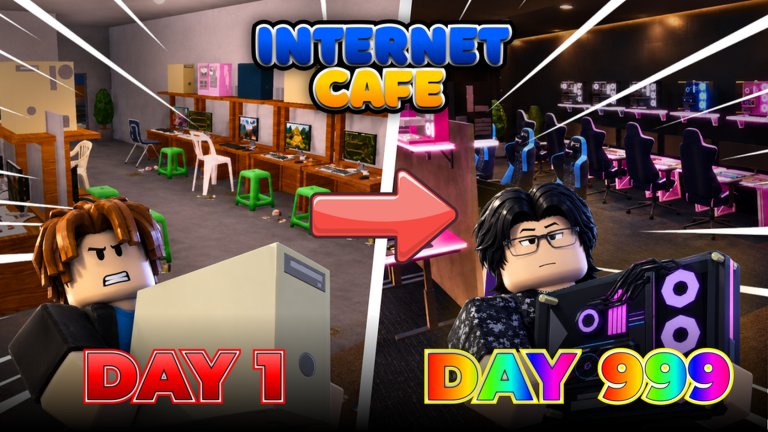
Weather is one of the advertised pillars of Internet Cafe by Neminem: the sky changes, the mood shifts, and outdoor props suddenly matter. This guide explains how to design around weather so your café still reads as open, readable, and profitable. For full furniture and kitchen placement detail, continue to Customize Base, Furniture, and Kitchen.
Weather will not replace PC income. Treat it as free atmosphere that rewards smart layout—not as an excuse to delay finishing seats.
What weather does for the fantasy
A computer café in changing weather sells a story: customers ducking in from rain, evening neon against a dark sky, sunny outdoor benches for friends waiting on a seat. On Roblox, that story only works if:
- The entrance stays obvious in gloom.
- Indoor lights keep aisles and monitors readable.
- Outdoor pieces do not cover the door interact volume.
- You can still run a short collection loop when the sky turns dramatic.
If a storm looks great in screenshots but you keep misclicking the door, the build failed its gameplay test.
Indoor lighting checklist
- Place enough lights that PC rows remain visible when the skybox darkens.
- Avoid relying only on outdoor sun for interior brightness.
- Keep signage and the counter lit—new players should find the register instantly.
- After a weather-heavy patch, rejoin a fresh server and walk the floor at night or during storm states if available.
Readable interiors protect both roleplay vibes and practical collecting.
Outdoor seating without door grief
Outdoor chairs and benches are perfect weather props. Rules of thumb:
- Put them beside the entrance, not on the threshold.
- Leave a two-avatar-wide approach so friends on 8-player servers are not stuck hopping planters.
- Use a small covered waiting spot if awnings or roof pieces exist—rain then feels intentional.
- Never stack seasonal trees directly in the spawn-to-door line.
Outdoor zones are Zone D in the broader customize blueprint; deep prop shopping belongs after PC seats earn. Money order: Earn Fast.
Layout tips that survive every sky
| Zone | Weather-aware goal | Avoid |
|---|---|---|
| Entrance | Clear silhouette + light | Prop forests on the mat |
| PC rows | Indoor brightness | Relying on skylights alone |
| Patio | Side seating + cover | Blocking the door hitbox |
| Windows | Showcase Halloween/seasonal frames | Covering every monitor face |
When you remodel for weather, change one zone per session. Full rebuilds mid-storm are how people forget an unfinished monitor.
Weather and customization codes
Strings like CUSTOMIZATION and seasonal HALLOWEEN often unlock vibe pieces that shine under dramatic skies. Redeem them on Codes, then:
- Test new outdoor props during active weather, not only in clear default light.
- Keep free seasonal clutter on window bays and patio edges.
- Spend cash cosmetics only after the next seat is funded.
Halloween-specific buy/skip notes live on the Halloween Event page.
After-update weather checklist
Patches may tune storms, lighting, or outdoor SKUs. After any update listed on Updates:
- Join a fresh public server so you are not on stale lighting.
- Verify existing seats still complete and collecting.
- Walk entrance → PC aisle → collection under the new sky.
- Fix clipping that only appears in rain/night (floating chairs, dark corners).
- Reposition one outdoor hero prop if the new weather makes it unreadable.
- Only then browse the shop for new weather-friendly furniture.
If payouts look wrong, check completeness before blaming the skybox. Hardware order: PC Upgrades.
Screenshot sessions vs money sessions
Split your intent:
- Money session: ignore perfect clouds; finish seats; collect on a timer.
- Showcase session: wait for dramatic weather, adjust lights, capture the patio—budget décor only.
Mixing both without a cash buffer creates pretty, broke cafés. The Tier List still ranks finished lines above patio flex.
Co-op weather etiquette
Friends will visit for help badges and screenshots. Ask before relocating their outdoor set, share which storm state looks best, and do not “fix” someone’s door with surprise planters. Social norms: Players.
Common weather mistakes
- Dark interiors with no extra lamps.
- Patio builds that steal the only entrance tile.
- Buying weather décor before two PC lines run.
- Assuming weather increases income by itself.
- Leaving broken outdoor clipping for weeks because “it looks fine in sun.”
Practical starter setup
- Finish two indoor PC seats.
- Add counter lighting and a clean door lane.
- Place two outdoor seats off to the side.
- Add one covered or lit waiting accent if available.
- Re-test during a weather change.
- Expand patio theme only with décor budget leftovers.
That order keeps Internet Cafe’s weather pillar fun without fighting the tycoon loop. For prop unlocks and vanity versus income decisions, read Furniture. For food-area adjacency under the same roof, read Kitchen. For the umbrella theme guide that ties zones together, stay with Customize Base.
Weather is free drama on a young experience (created 2026-08-23, still iterating into November 2026). Design for it, light for it, and never let a storm hide the fact that your monitors still need finishing.
Frequently Asked Questions
Quick answers about codes, upgrades, and growing your café.
Does weather increase Internet Cafe income?
Treat weather as atmosphere and presentation. Income still comes from finished PC seats and smart collection—see Earn Fast.
Where should outdoor seating go?
Beside the entrance with a clear door approach, not on the threshold. Keep lanes wide enough for friends on 8-player servers.
What should I check after a weather update?
Rejoin a fresh server, re-walk entrance and aisles under the new lighting, fix clipping, then shop for new props. Track drops on Updates.
How do Halloween props interact with weather?
Use them on windows and patio edges so dramatic skies show them off without covering monitors. Details: Halloween Event.
When should I invest in weather décor?
After at least two finished income stations and a funded next seat. Follow the décor budget idea in Customize Base.