Warnetopia Internet Cafe Getting Started in Internet Cafe
First-session checklist for Neminem’s Internet Cafe: codes, first PC line, second seat, and smart early habits.
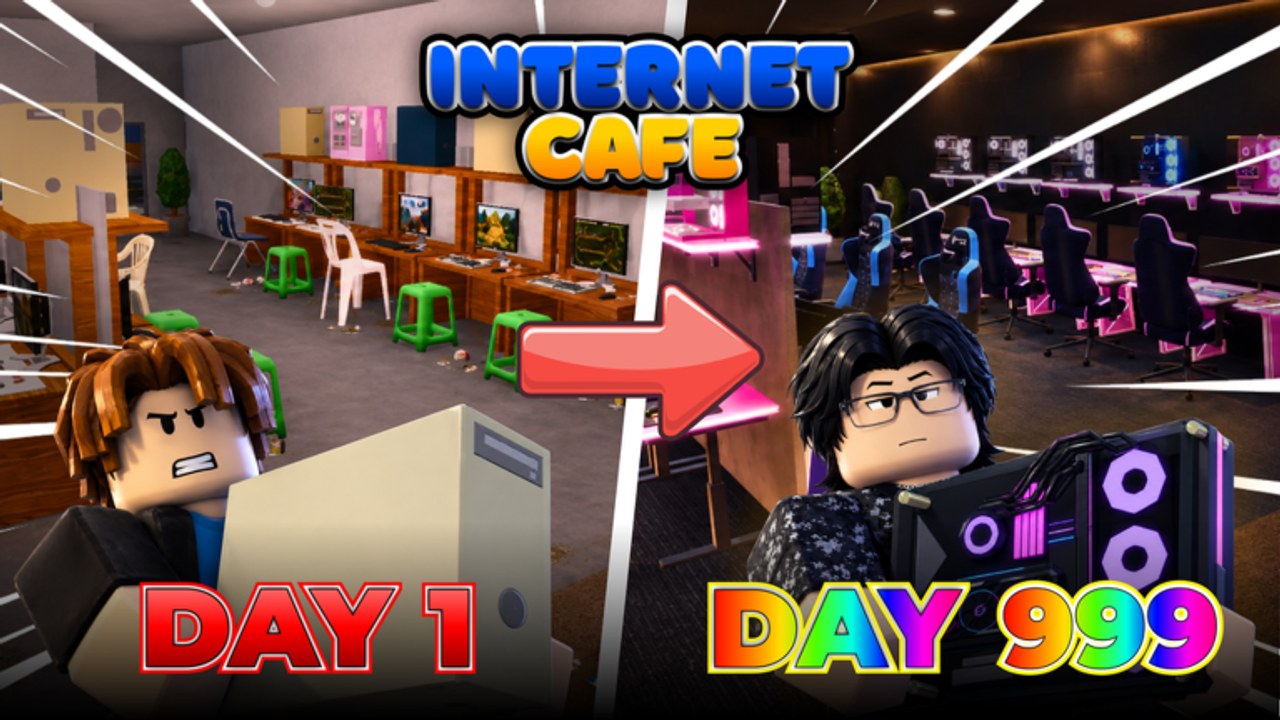
Internet Cafe by Neminem is a Roblox simulation / tycoon where you build a computer café, upgrade machines, unlock furniture, and expand the business—sometimes under changing weather, often beside up to seven other players on the same server. This getting-started guide is the day-one path we recommend on Warnetopia Internet Cafe.
You do not need paid gamepasses to learn the loop. You do need discipline: finish income stations before decorating like a showroom.
Before you click Play
- Open the official place: Internet Cafe on Roblox (universe ID
10755789390). - Use a stable connection; tycoon shops and placement tools feel worse with high ping.
- Skim the experience description for the latest public codes—then confirm them on our Codes Hub.
- Decide whether you are playing solo focus or helping friends. Server size is 8, so social sessions are normal.
Minute 0–5: land, claim, orient
Join a public server and claim your café plot if the experience uses claim pads or owner markers. Walk the empty floor once. Note where the entrance, shop/management UI, and likely cash collection point are. Mentally reserve a straight path from door to future PC rows—future-you will thank present-you.
Open every menu you can find: shop, build/place, codes/redeem, and settings. Knowing where Codes lives before you need it saves awkward searching while customers wait. For a dedicated HUD map, read Controls & HUD.
Minute 5–10: redeem every active code
As of the November 2026 description window, redeem:
ALDWEKSLARPER3WEEKSCUSTOMIZATIONHALLOWEEN100KVISITSKITCHENNADALVOKE
Enter them exactly. If one fails, hop servers and retry once. Full steps and troubleshooting live on Codes. Bank the rewards; do not blow everything on neon shelves yet.
First purchase goal: one complete PC station
Your first economic unit is a finished seat, not a pile of parts. In café tycoons that usually means unlocking a line/desk, then buying the case, monitor, and required peripherals (keyboard/mouse/chair as the shop demands). Buy in the order the shop unlocks if items are gated. If everything is available, still assemble one station fully before starting a second skeleton desk.
Why? Incomplete stations create zero or near-zero income while consuming floor space and attention. The tier list ranks complete lines as S-tier for this reason.
Learn the UI in-game
There is no substitute for clicking the live menus yourself. Spend two minutes opening shop, place, codes, and collection prompts on your claimed plot, then follow the control notes on Controls & HUD. Treat third-party videos from other café games as unreliable—button names and features differ, and this wiki does not embed unverified clips for this place.
Minute 10–25: collect, adjust, open line two
With seat one online:
- Stay near the café and collect on a short timer rather than wandering the whole map.
- Fix obvious path blocks—chairs clipped into doorways, props in the lane.
- When seat one pays reliably, open line two and finish it to the same completeness standard.
- Only after two finished seats should you browse kitchen or seasonal décor unlocked by recent updates.
If cash feels slow, do not panic-buy random upgrades. Read Earn Fast for route and timing tips, and PC Upgrades for part order.
First-hour build template
| Slot | Goal | Done when |
|---|---|---|
| Codes | All active strings redeemed | Rewards visible in cash/inventory |
| Line 1 | Full station | Customer can use it / it generates income |
| Collection | Short loop | You are not cross-map sprinting |
| Line 2 | Full station | Second seat online |
| Décor budget | Small only | Path still two tiles wide at least |
| Social | Optional help | Friend’s café visited if chasing Help a friend |
Co-op on day one
Because servers hold eight players, you will see other cafés nearby. Helping is encouraged—there is literally a Help a friend! badge—but do not abandon your own unfinished first seat to redesign someone else’s lobby. A good first-session social loop is: finish your line one, help a neighbor for a few minutes, return, finish line two. Badge details and etiquette sit on Players and the deep Badges Guide.
Customization without tanking income
Internet Cafe advertises furniture unlocks, decorations, weather, and customizable bases. Those systems are a big part of the fantasy—especially with codes like CUSTOMIZATION and HALLOWEEN. Still, day-one customization should be light: floor mats, a counter sign, maybe one seasonal prop in a corner that does not block seats. Deep theming belongs after income is stable; see Customize Base, then branch into Furniture, Weather System, and Kitchen when you are ready.
Common beginner mistakes
- Decorating before any PC works.
- Buying three desks and zero monitors.
- Ignoring codes until “later” and forgetting.
- Cluttering the entrance so pathfinding breaks.
- Spending kitchen money before two PC lines exist.
- Quitting a server mid-placement and losing track of what was unfinished.
- Trusting random executors to “skip the grind”—read Scripts before you risk an account.
What success looks like at the end of session one
- At least two finished PC stations earning.
- Codes redeemed and logged mentally as used.
- A clear door-to-seat lane.
- A short list of next buys (monitor upgrades or line three) taken from the tier list.
- Awareness of kitchen/seasonal options without overspending into them yet.
After the tutorial hour
Graduate to:
- Controls & HUD — if any menu still feels fuzzy.
- Earn Fast — squeeze more cash per minute.
- PC Upgrades — hardware priority on live seats.
- Customize Base — theme, weather, kitchen flair.
- Updates — know what changed since 23 August 2026 launch.
Internet Cafe rewards owners who think like managers: capacity first, quality second, vibe third. Follow that order and your second session starts from a real business instead of a furniture museum.
Frequently Asked Questions
Quick answers about codes, upgrades, and growing your café.
What should I buy first in Internet Cafe?
Finish one complete PC station (line plus required parts), redeem codes first if you have not, then open a second finished seat before heavy décor.
Where do I redeem the beginner codes?
Use the in-game Codes or Redeem UI after joining. The full list and steps are on the Codes Hub.
Where can I learn the shop and placement UI?
Open every menu once on your claimed plot, then follow the Controls & HUD guide for movement, codes, shop, and collection habits.
Can I play with friends on day one?
When should I start decorating?
After at least two finished income stations. Follow Customize Base so props never block customer paths.