Warnetopia Internet Cafe Internet Cafe Guides
Walkthroughs for day one, controls, money making, PC upgrades, weather, furniture, kitchen, and café customization—linked in one hub.
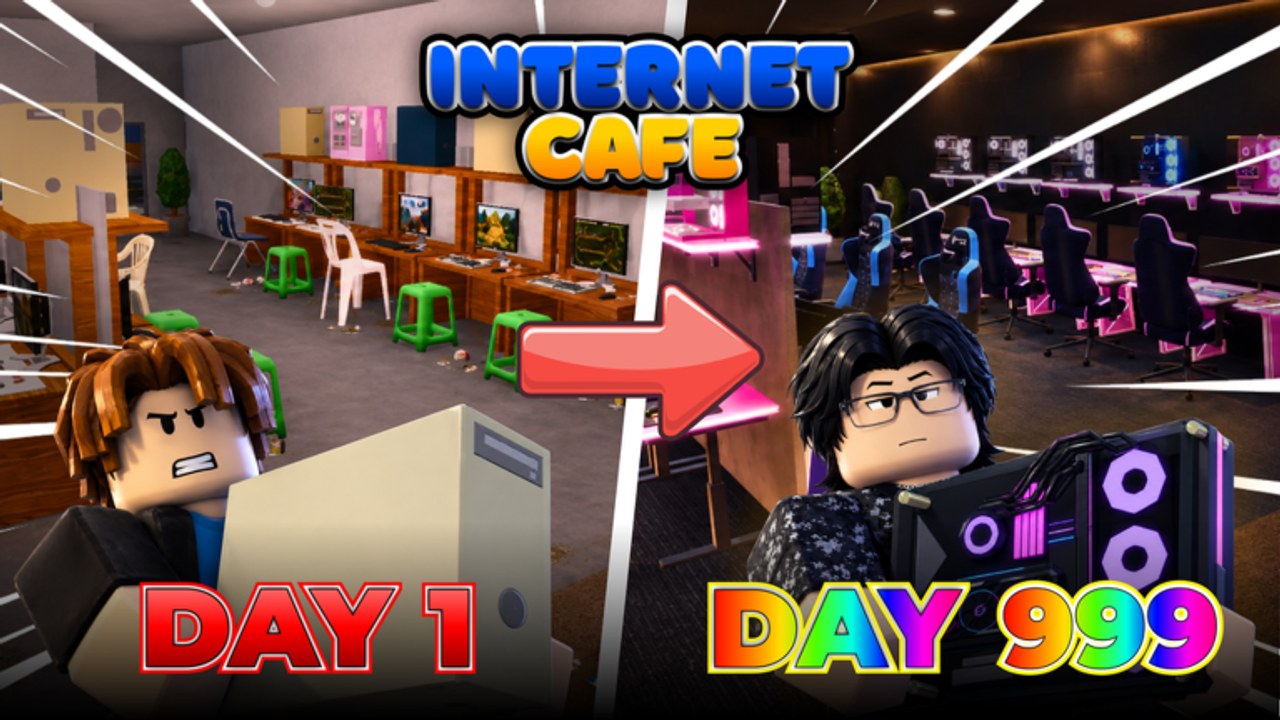
Welcome to the Guides Hub for Warnetopia Internet Cafe, the unofficial fan wiki for Neminem’s Roblox experience Internet Cafe. These guides focus on practical loops: claim a plot, learn the HUD, redeem codes, finish PC stations, expand income, then customize the room without wrecking your pathing.
Start with the beginner guide if this is your first join. Jump to controls if menus feel fuzzy, or to money and upgrade pages if you already have a floor but feel stuck. Every article below cross-links siblings so you can move between topics without hunting the nav tree.
Featured guides
Getting Started
Day-one walkthrough for new owners. Covers joining the experience, redeeming the six public codes, finishing your first PC line, opening a second seat, and avoiding the classic “pretty café, zero income” mistake.
Controls & HUD
How to play the interface: claim a plot, open shop and codes UI, use placement tools, run the collection loop, and move with standard Roblox WASD—without inventing combat features from other café games.
Earn Fast
Cash-focused tactics from early through late game: collection routes, when to expand seats versus upgrade parts, how codes feed the budget, and how co-op on 8-player servers helps without replacing your own grind.
PC Upgrades
Station and hardware order—lines, cases, monitors, peripherals—so each purchase raises income instead of sitting as spare parts on an unfinished desk.
Customize Base
Umbrella layout guide for themed cafés: zones, pathing, décor budgets, and links out to deeper weather, furniture, and kitchen pages.
Weather System
How weather shapes outdoor seating, lighting, and after-update checklists so storms look great without hiding the door.
Furniture & Decorations
Unlocks, income versus vanity buys, pathing rules, and when to shop after PC seats are online.
Kitchen & Food Area
Kitchen guidance from the KITCHENNADALVOKE era: when to unlock versus PC lines, aisle-to-counter layout, and why you should never abandon monitors.
Suggested learning path
- Redeem everything on the Codes Hub.
- Learn menus via Controls & HUD if you are new to the UI.
- Complete Getting Started through two finished lines.
- Check the Tier List before your next big spend.
- Optimize income with Earn Fast.
- Formalize hardware order via PC Upgrades.
- Theme the space with Customize Base, then deepen via Furniture, Weather System, and Kitchen.
- Chase badges and co-op habits on Players / Badges.
- Revisit guides after notes on Updates and the Halloween Event page when seasonal.
What these guides assume
- Platform: Roblox
- Experience: Internet Cafe by Neminem (universe
10755789390) - Genre: Simulation / Tycoon with Philippines-tagged computer café flavor
- Multiplayer: online servers, size 8
- Release status: released (created 2026-08-23, actively updated)
Mechanics can shift when the developers ship kitchen, Halloween, or customization drops. If a button moved, skim Updates and re-test in a fresh public server.
How to read a guide page
Each guide aims for depth over fluff: checklists you can follow in one sitting, tables for priority, and FAQs for common stuck points. Internal links use trailing slashes and stay locale-agnostic in the source. When a guide mentions codes, it points back to the live list rather than duplicating rewards that may change.
We omit YouTube embeds unless a verified clip for this exact Neminem place is available—learn the UI in-game and via the controls guide instead.
Related hubs outside Guides
- Codes — active promo strings and redemption steps
- Tier List — S/A/B/C purchase priority
- Scripts — risk briefing only; no loadstrings
- Players — badges and helping friends
- Updates — launch-to-now changelog style notes
- Wiki Hub — about this fan site and community links
Contributing mindset (for readers)
If a shop price or unlock name changed after a patch, trust the live game over an outdated screenshot. Use these pages as a strategy backbone: finish income first, decorate second, invite friends third. That order still wins most café tycoon sessions.
When you finish the core guides—including controls, weather, furniture, and kitchen—you should be able to open a clean multi-seat café, explain why each upgrade was bought, and point teammates to the same checklist. That shared language matters on small 8-player servers where helping each other is part of the fun—and part of the badge list.
Keep this hub bookmarked. New walkthroughs will slot under Guides as the experience grows; the learning path above will stay the fastest on-ramp for Warnetopia readers.
Frequently Asked Questions
Quick answers about codes, upgrades, and growing your café.
Which guide should I read first?
Start with Getting Started after redeeming codes. Use Controls if the HUD is unclear, then Earn Fast and PC Upgrades once two seats are online.
Do these guides work after the Halloween and kitchen updates?
Yes—the strategy still prioritizes finished PC lines first. See Kitchen, Furniture, and the Halloween Event notes for side systems.
Are the guides official?
No. Warnetopia Internet Cafe is an unofficial fan wiki. Always confirm UI labels in the live Roblox experience.
Where do I find upgrade rankings?
Use the Tier List Hub for S/A/B/C priority and PC Upgrades for station order detail.
Is there a scripts guide?
See the Scripts Hub for safety context only. This Guides Hub focuses on legitimate play.